Make an API key
About five minutes in Creator Hub. The key lets our server run one public script on the one game you pick, and you can delete it at any time.
Start a new key
Open API Keys in Creator Hub and press Create API Key. For a group game, sign in as an account that can edit the game. Roblox recommends a key on your own account over a group key.
Name it
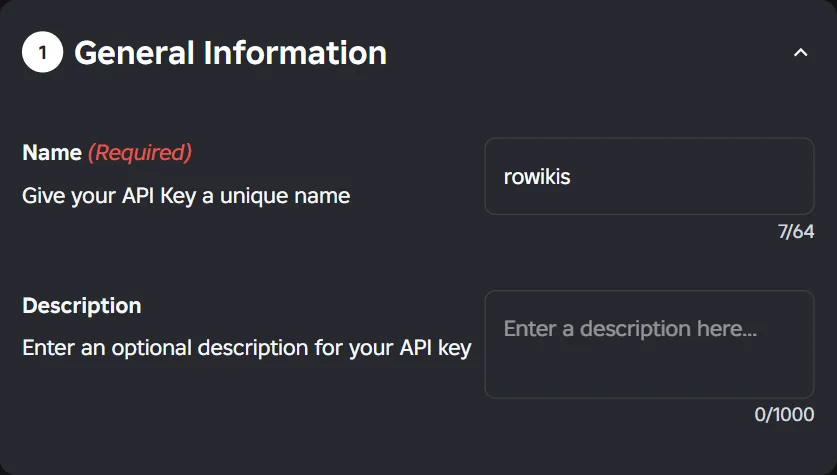
Type rowikis as the name, so you can tell later what the key is for. The description is optional.
Give it the one permission
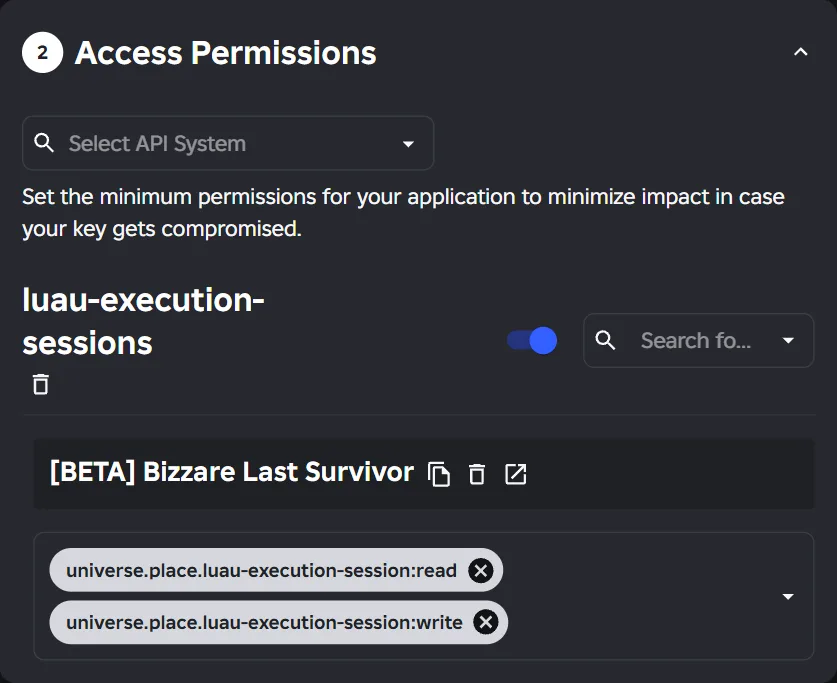
Under Access Permissions, open Select API System, type
luauand pick luau-execution-sessions.Turn on the switch beside it (Restrict by Experience) and press Continue when Roblox asks. Search for your game and pick it, then open Select Operations to Add and add read and write. Write lets us start the run, read lets us collect what the script returned.
Leave the IP list off
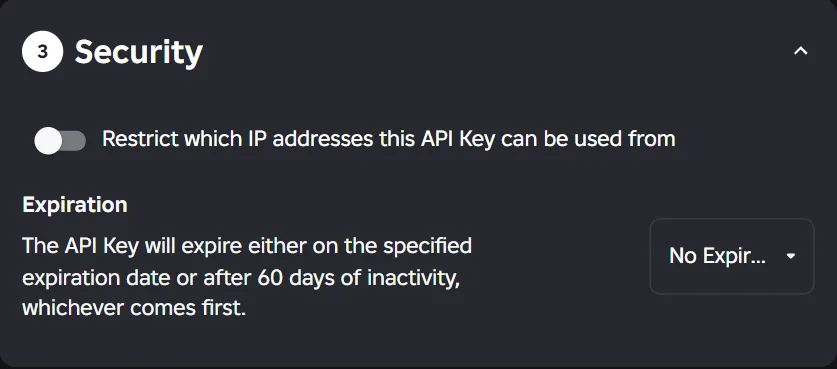
Keep Restrict which IP addresses this API Key can be used from switched off. We can't give you a fixed address to allow, so a key with an IP list would refuse our server.
Pick an expiry date if you want one. Roblox also expires a key that goes unused for 60 days, so if you don't read your game's data for that long you'll need a new key.
Save and copy the key
Press Save & Generate Key and copy the key straight away. Roblox shows the whole key only once. Paste it into the connect page, and don't send it to anyone else.
Roblox warns that a key which can run Luau can reach your DataStores. That holds for any such key. Ours runs only the public script, and you get an email every time it does.